Get started with Kotlin/Wasm and WASI
This tutorial demonstrates how to run a simple Kotlin/Wasm application using the WebAssembly System Interface (WASI) in various WebAssembly virtual machines.
You can find examples of an application running on Node.js, Wasmtime Deno, and WasmEdge virtual machines. The output is a simple application that uses the standard WASI API.
Currently, Kotlin/Wasm supports WASI 0.1, also known as Preview 1. Support for WASI 0.2 is planned for future releases. Follow this YouTrack issue for updates on WASI 0.2 support.
The wasmWasi target uses the new exception handling proposal by default, ensuring better compatibility with modern WebAssembly runtimes.
Before you start
Download and install the latest version of IntelliJ IDEA.
Clone the Kotlin/Wasm WASI template repository by selecting File | New | Project from Version Control in IntelliJ IDEA.
You can also clone it from the command line:
git clone git@github.com:Kotlin/kotlin-wasm-wasi-template.git
Run the application
Open the Gradle tool window by selecting View | Tool Windows | Gradle.
In the Gradle tool window, you can find the Gradle tasks under kotlin-wasm-wasi-example once the project loads.
From kotlin-wasm-wasi-example | Tasks | kotlin node, select and run one of the following Gradle tasks:
wasmWasiNodeDevelopmentRun to run the application in Node.js.
wasmWasiWasmtimeDevelopmentRun to run the application in Wasmtime.
wasmWasiDenoDevelopmentRun to run the application in Deno.
wasmWasiWasmEdgeDevelopmentRun to run the application in WasmEdge.
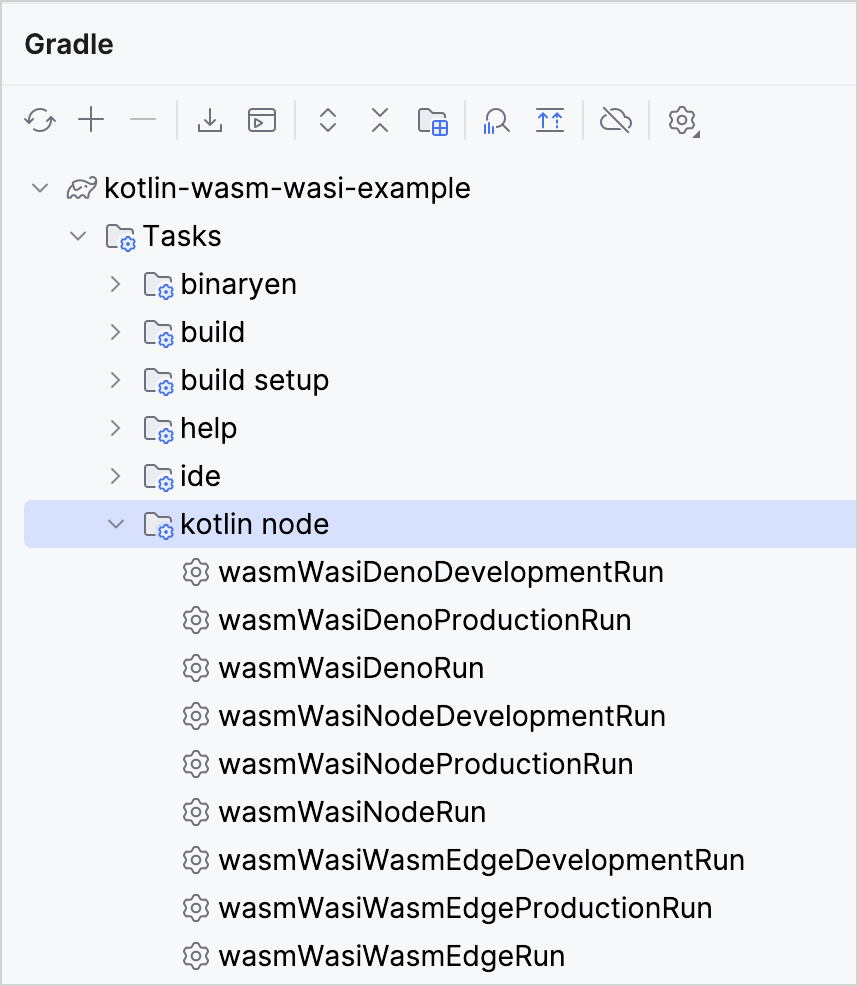
Alternatively, run one of the following commands in the terminal from the kotlin-wasm-wasi-template root directory:
To run the application in Node.js:
./gradlew wasmWasiNodeDevelopmentRunTo run the application in Wasmtime:
./gradlew wasmWasiWasmtimeDevelopmentRunTo run the application in Deno:
./gradlew wasmWasiDenoDevelopmentRunTo run the application in WasmEdge:
./gradlew wasmWasiWasmEdgeDevelopmentRun
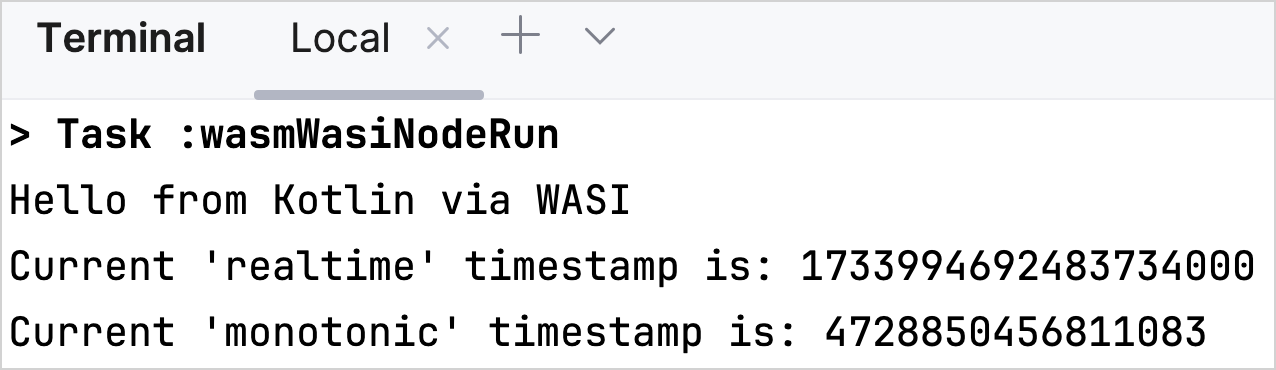
The terminal displays a message when your application is built successfully:
Test the application
You can also test that the Kotlin/Wasm application works correctly across various virtual machines.
In the Gradle tool window, run one of the following Gradle tasks from kotlin-wasm-wasi-example | Tasks | verification:
wasmWasiNodeTest to test the application in Node.js.
wasmWasiWasmtimeTest to test the application in Wasmtime.
wasmWasiDenoTest to test the application in Deno.
wasmWasiWasmEdgeTest to test the application in WasmEdge.
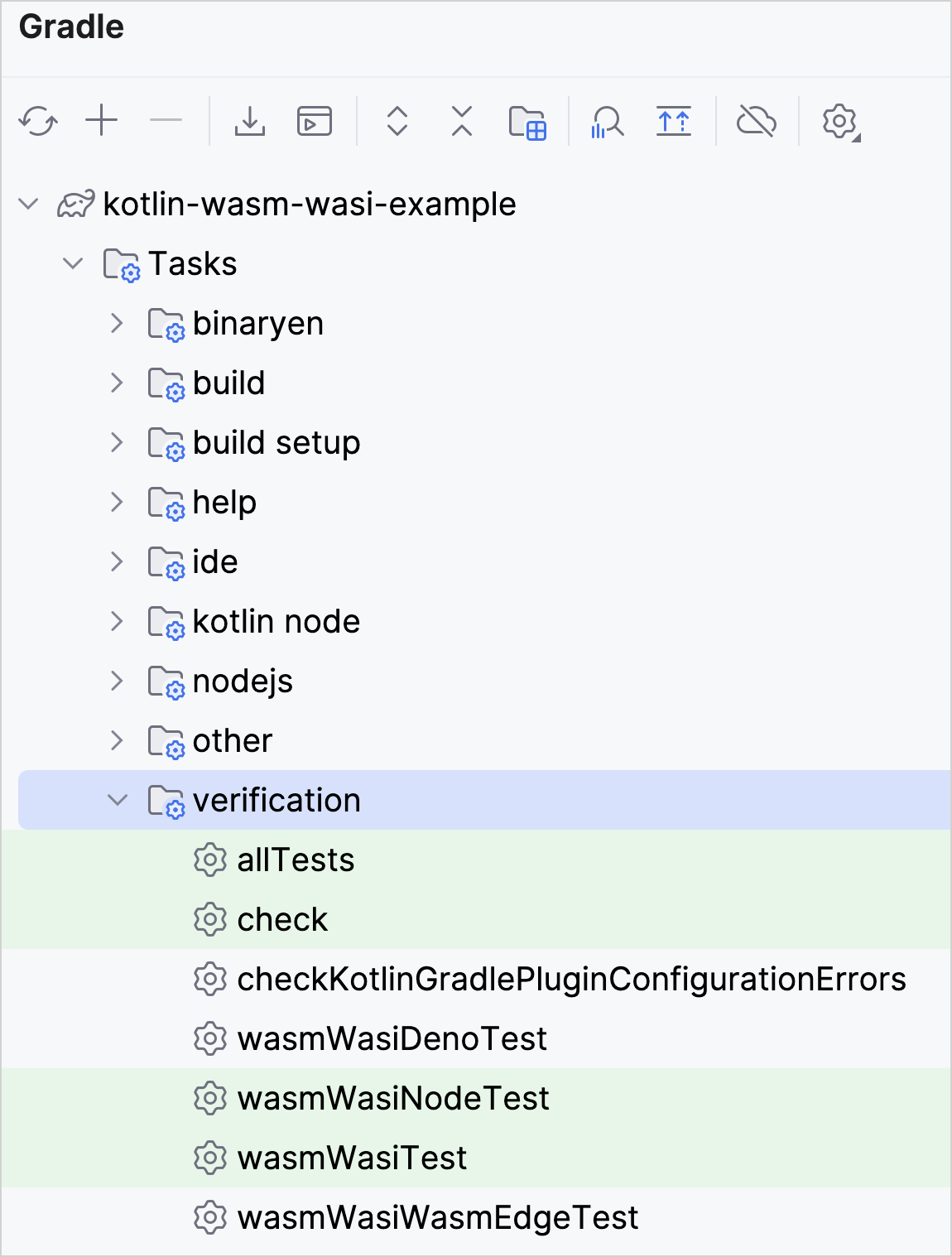
Alternatively, run one of the following commands in the terminal from the kotlin-wasm-wasi-template root directory:
To test the application in Node.js:
./gradlew wasmWasiNodeTestTo test the application in Wasmtime:
./gradlew wasmWasiWasmtimeTestTo test the application in Deno:
./gradlew wasmWasiDenoTestTo test the application in WasmEdge:
./gradlew wasmWasiWasmEdgeTest
What's next?
Join the Kotlin/Wasm community in Kotlin Slack:
Join the Kotlin/Wasm community
Try more Kotlin/Wasm examples: